Google News turns 10 years old today so this anniversary inspired me to share how I use this tool in my daily practice. We all know that web 1.0 was a time long ago when we had to go out and work hard to find information - Scouring search engines and individual news sites until we found what we were looking for. For me, one of the greatest advantages of web 2.0 has been that I can put in a little up front effort and tools like Google News and Reader will bring me what I like. It is the real life edition of the Harry Potter newspaper. I typically will use Reader to subscribe to blog posts and Google News for official news but the combination can make anyone a power consumer.
Transferring this idea to the classroom, it is easy to see how educators can have custom news consistently delivered for discussion starters, fact checking, special news pieces on content, etc. I always referred to one of these articles or videos to gather ideas for a class discussion that started every class. Often the topic was technology-based but sometimes one of these tools brought me news so compelling (but off content) that I started with it to simply engage the class to learn something new. Content didn't matter to me if I could help learners become global citizens. I would also design connected projects where students would tailor their own news feeds as part of the 20% projects that I frequently presented. I'll often hear from former students that this was the activity they remember most from my classes. So I thought I'd take some time today to build a quick video of how to customize Google News and share some other resources. I hope it adds value to your classroom as it did mine.
More About Google News
Personalization Basics - Google News

Sep 22, 2012

Sep 20, 2012
Course Builder - An Open Source Tool For Building Online Courses From Google
I'm not the only one who had a feeling that the Power Searching MOOC that Google gave us this summer was the start of something big. Now, Google has released Course Builder - the open source online course building tool that the Power Search developers used to create the first Google MOOC. The eLearning world continues to embrace open and web based LMS solutions as big players like Blackboard struggle to maintain market share and Google is looking to add to the growing list options for online educators.
If you are looking for a clean, modern LMS that is already integrated with Google Apps, I would highly recommend Haiku. Haiku has a beautiful interface with simple drag and drop features. It feels great, is web-based, and is just what a LMS should be. Haiku is a high end LMS at a very small price.
If free and simple is what you are looking for then check out Edmodo or Schoology. Both have a Facebook-like feel and are perfect for teachers looking for an online space to post projects, have student collaborate, and develop a foundation of digital literacy in the classroom. Lastly, both platforms have developed apps for Android and Apple mobile devices.
Still looking? More LMS resources can be found here to help you learn more.
Bonus: The next Power Searching MOOC with Google is starting on September 24th - Check it out!
If you are looking for a clean, modern LMS that is already integrated with Google Apps, I would highly recommend Haiku. Haiku has a beautiful interface with simple drag and drop features. It feels great, is web-based, and is just what a LMS should be. Haiku is a high end LMS at a very small price.
If free and simple is what you are looking for then check out Edmodo or Schoology. Both have a Facebook-like feel and are perfect for teachers looking for an online space to post projects, have student collaborate, and develop a foundation of digital literacy in the classroom. Lastly, both platforms have developed apps for Android and Apple mobile devices.
Still looking? More LMS resources can be found here to help you learn more.
Bonus: The next Power Searching MOOC with Google is starting on September 24th - Check it out!
Sep 12, 2012
Recommended YouTube Channels For Your New iPad/iPhone App
I can only imagine how many iOS users are spinning in their desk chairs now that Google has released the new YouTube app for Apple users. It makes sense considering that the recent Drive (also with new updates for iOS) and Chrome apps were hits and that YouTube is second largest search engine in the world behind big brother Google. Now what? Sure, you can search aimlessly through the 8 years of new content uploaded each day with hopes of discovering something good. And while your chances of success may be better using the YouTube EDU page, you really want to move into the power user category by setting up an account and subscribing to some Youtube channels. Here are some of my favorites:
MIT + K12 - A collaboration with Khan Academy (another great pick) to bring high quality content to the K-12 classroom.
TED-Ed - Of course, the TED Talks channel is a winner but TED-Ed does a great job with animation and videos for learning.
NatGeo - National Geographic has wonderful content in many categories and the videos are always high quality.
PBS - How do you go wrong here? Check out PBS Kids for little ones, too.
YouTube Teachers - Want to learn more and connect with other educators passionate about blended learning, media rich classrooms, and engaging kids? Help to build the world's largest classroom here.
What did I miss? Please leave your favorites in the comments!
MIT + K12 - A collaboration with Khan Academy (another great pick) to bring high quality content to the K-12 classroom.
TED-Ed - Of course, the TED Talks channel is a winner but TED-Ed does a great job with animation and videos for learning.
NatGeo - National Geographic has wonderful content in many categories and the videos are always high quality.
PBS - How do you go wrong here? Check out PBS Kids for little ones, too.
YouTube Teachers - Want to learn more and connect with other educators passionate about blended learning, media rich classrooms, and engaging kids? Help to build the world's largest classroom here.
What did I miss? Please leave your favorites in the comments!
Sep 9, 2012
Behind the Scenes - Google Maps
Ground Truth - A Google project adding human touch to impact the accuracy of Google Maps.
 The Atlantic's Alexis Madrigal wrote a great piece this week on the world of Google Maps. It turns out that the engineers behind the tool that let's us use Street View to navigate Manhattan's thoroughfares and the Google Earth plugin to survey the Sahara use an a lot of interpretation, ingenuity, and complex problem solving. I'll admit that I thought most of this information came from satellite imagery that was stitched and reproduced for us.
 This supports a common point that education reformers consistently support. Collecting and reproducing data simply doesn't cut it and is not a valuable skill now nor will it be in the future of a connected, global economy. It is far more valuable to think on your feet, interpret, adapt, and resolve. I haven't seen these skills measured on a test yet.
Google Maps for EDU
- Explore the Google World Wonders project with your students
- Let students create,design, and submit buildings to be used on Google Maps using the Google Building Maker
- Official Google Earth for Educators page with featured lesson plans
More Cool Google Maps Technology
- Google Earth YouTube Channel
- Google Maps YouTube Channel
- The Next Dimension in Google Maps
- Follow the Google LatLong blog
- 10 Amazing Google Earth and Maps Discoveries
Aug 5, 2011
Connect, Collaborate, Create

Connect
The opportunities seem endless in this category but a few favorites emerged this week. Many teachers chose iGoogle and were excited to see how this tool would allow them to bring the world of web information to one place. The diversity of news sources, blogs, and other gadgets proved to be of high value when selecting iGoogle as a course project for them. Even more, the ability to share individual tabs from iGoogle with a community of learners, parents, departments, etc. as an information portal filled a need for many of the course participants. Other winners in the Connect category include Gmail for personal mail and Picasa for curating pictures and editing with Picnik.
Bonus: The Google Educators community and newsletter.
Collaborate
Google Groups proved to have high value for teachers this week as well. The idea that information can be posted to a group, allow for commenting, and that information would then be delivered via email to the group members made sense. Another standout has been Google Docs. The full range of sharing and privacy features adds functionality and fluidity to school projects plus the new discussions feature kicks the collaboration potential up a notch.
Bonus: Flubaroo for self grading quizzes in Google Docs
Create
Google Maps and Earth are always big winners in this category - for obvious reasons. I am excited to see that more teachers are exploring and building blogs. Six years ago when I started running professional development courses there was a fear of these tools. It has been a pleasure to see teachers adapt and grow with technology. While they are aware of the implications, they are not afraid to use Blogger because it can model positive technology use and communication for their students.
Bonus: The Google Earth Sightseer newsletter for new ideas.
A final thanks to the all the great educators in the course this week, here are a few who are on Twitter: @squenzer @lilrachel27 @csheidy1397 @lapcsreeze
You can read more about the courses at courses.kikerlearning.com
Jul 24, 2011
Why The Google Cloud Is Secure For Education

To begin, let's get the ugly out of the way about what is legal for student access - see my man Wes Fryer's wiki on Unmasking Digital Truth to learn more about CIPA, FERPA, COPPA, and other legal issues. Then let's start with these security basics:
- Make passwords a minimum of 8 characters and mix letters, numbers, case, and special characters.
- Change your password at least once a month.
- Enable Advanced Sign-In Security for your Google account for a secondary layer of protection.
- Log out of your account every time you step away - if you can't remember if you logged out at school or work use the Google remote log out feature to be sure.
- Most important - TEACH these steps to your students and follow up to be sure they are doing it! It is evidence of high technical literacy and we have to teach them these skills.
Now that we have what you can do, let's see what Google is doing in addition to the offerings shared above. The video below from Google reviews everything from physical security of Google data centers with 24/7 guards to the absolute demolition of old hard drives. It is well worth a few minutes. Furthermore, Dan Rowinski from ReadWriteWeb shared this gem of an article this week on all things Google and security. Lastly the Google Apps security page expressly lays out that your data is owned by you and Google employees will never access it unless you grant them access. Also, your data is yours to own, manage, and take with you freely if you leave the Google realm. Watch the video and let this happen in our schools.
Jul 22, 2011
The Best Google Maps/Earth Education Mashups

The complete geography package comes to us in a Google Earth mashup from Herff Jones. The Stratalogica team is doing their part to get us out of the 1987 classroom from Summer School by offering a wide range of interactive maps, atlases, charts, globes, and more using the Earth API. These resources are up to date and relative so you don't have to tell your students that it isn't called the Soviet Union anymore. In fact, they have already updated the system to show the new Republic of South Sudan which is only a little over a week old at the time of this post. Sure it costs money but a lot less than one of those pull down maps for the front of the room and if you bought one of those 3 weeks ago it would be outdated. And the springs probably broke already. And try putting a digital overlay of the Silk Road on one of those. Seriously, stop buying those, Kotter. Even better, the social media team was the coolest crew at ISTE and they love Twitter so message them at @Stratalogica, @DonRescigno, and @kirstaw.
I believe that authentic global competence includes a strong command of the local community as well. This resource allows you to select a decade to view historical borders of the counties around your area. Zoom in for more detail to have powerful geography discussion with students. Bonus: There is also the world boundaries map that offers the same features on a global scale.
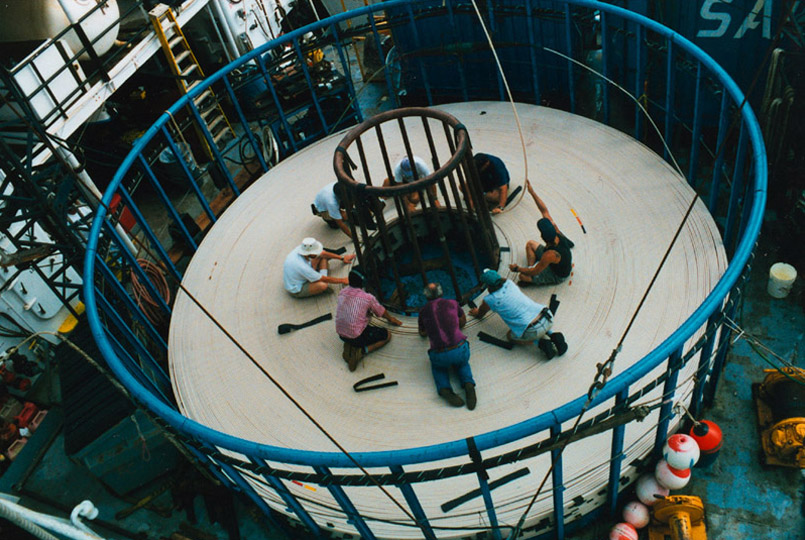
I have always been fascinated by the size of the cable ships that lay oceanic communication lines. When I was in the classroom I often shared this process and its painstakingly slow process with Media Technology students - this map would have been a big help. Here you can not only see all of the underwater lines but also see the bandwidth, length, names, and more data on each of the lines. Discussion could range from how financial transactions happen in seconds between Europe and the US to how French Polynesia gets internet connectivity. Share this with every tech geek you know.

If you are creating genealogy projects with students then you have to use this. HistoryPin allows you to "pin" your old photos to places and locations in a Maps mashup. You can contribute the historical image archiving of the world and give others a chance to see it, comment on it, and share it. This gem is developed and delivered by the non-profit organization We Are What We Do. This team can be found on Twitter at @HistoryPin.
Additional Resource
For more on Google Maps mashups you have to check out the Google Maps Mania Blog and 50 Things To Do With Google Mashups.
Subscribe to:
Posts (Atom)